Electronic invoicing in France: prepare your Gandi account before September 1, 2026
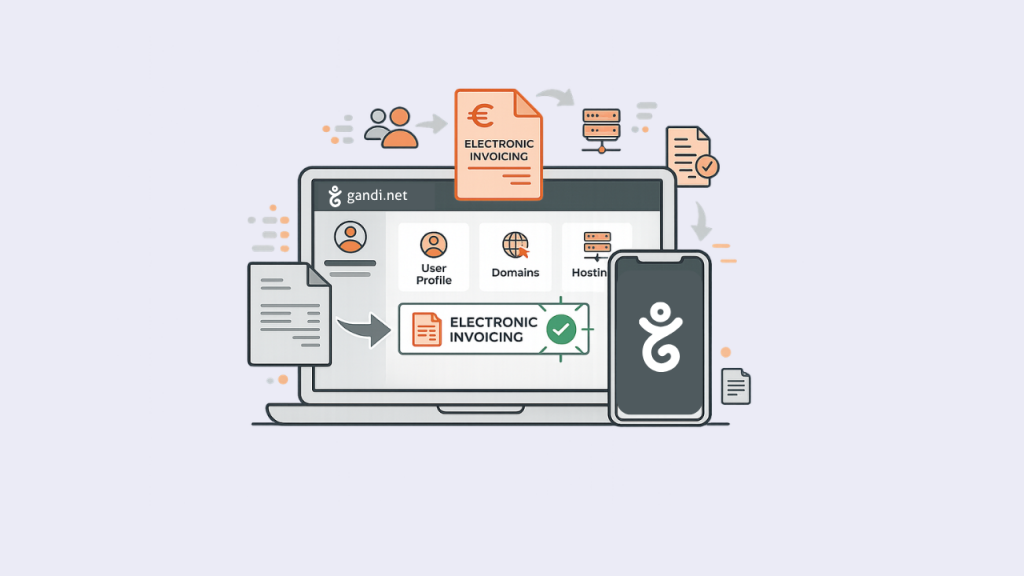
Starting September 1, 2026, electronic invoicing will gradually become mandatory in France.
If your company or organization is concerned by the reform, Gandi will be required to send your electronic invoices to your Approved Platform (Plateforme Agréée – PA) in accordance with the applicable regulations.
To ensure that your electronic invoices are transmitted correctly, we invite you to check that certain information stored in your Gandi organization is complete, accurate, and up to date, in particular your legal name, address, SIREN or SIRET number, intra-community VAT number (if applicable), and routing identifier.
If this information is not correctly entered before the reform comes into force, your invoices may not be properly transmitted to your Approved Platform or may require subsequent action to correct the situation.
- Who is concerned?
- Timeline
- First: identify the correct organization in your Gandi account
- Check your information before September 1, 2026
- What is the “Routing Identifier” used for?
- Is your legal name incorrect?
- What should you do next?
- Frequently asked questions
Who is concerned?
The reform applies to businesses established in France and subject to French VAT, regardless of their size: micro-businesses, very small businesses, SMEs, mid-sized companies, and large companies.
It also applies to:
- sole traders and micro-entrepreneurs when they are subject to VAT, including those benefiting from the VAT exemption scheme (franchise en base de TVA);
- associations when they are subject to VAT.
Individuals and associations that are not subject to VAT are not concerned by this obligation.
If you are unsure about your VAT status, we recommend contacting your accountant.
Timeline
From September 1, 2026
- All businesses concerned must be able to receive electronic invoices;
- Large companies and mid-sized companies must also issue invoices electronically.
From September 1, 2027
- SMEs and micro-businesses must also issue invoices electronically.
To receive electronic invoices, your company will need to choose an Approved Platform (PA). An Approved Platform is a service provider authorized by the French tax authorities to handle the transmission and receipt of electronic invoices between businesses.
A PDF sent by email does not qualify as an electronic invoice under the reform.
First: identify the correct organization in your Gandi account
At Gandi, products and billing are associated with organizations.
A single Gandi account may therefore contain:
 a “personal” organization
  , representing you as an individual;
 one or more “professional” organizations, corresponding, for example, to a company, association, or public body.
If you use Gandi as part of your professional activity, make sure you update the organization corresponding to that activity, rather than your personal organization. A single user can manage several organizations from their Gandi account.
Your personal organization does not have SIREN or Routing Identifier fields. Your personal organization cannot be deleted, but you are not required to use it for your purchases.
If you currently only have a personal organization and need electronic invoicing for your professional activity, you must create a organization (company, association, or public body) in your account.
You can select the professional organization of your choice as the billing organization when placing an order.
For billing purposes, each Gandi organization must correspond to one single legal entity. The products associated with it and the invoices issued must therefore relate to that same legal entity.
If you manage several separate companies or organizations, each must have its own Gandi organization with its own administrative information.
Check your information before September 1, 2026
To prepare your Gandi account for electronic invoicing:
1. Identify the correct organization
– Log in to your Gandi administration interface.
– Go to the “Organizations” section.
– Select the organization corresponding to your business, rather than your personal organization .
ℹ️ If you only see your personal organization but need electronic invoicing for your professional activity, you must create a new organization (company, association, or public body) so that you can provide us with your legal information.
2. Check your legal information
In the “Postal address” section, click Edit and check that the following information is correct:
– your legal name (raison sociale), which must match the legal name of your entity;
– your business address;
– your SIREN number (9 digits) or SIRET number (14 digits) in the “Company identification number” field;
– your intra-community VAT number, if your business has one.
3. Enter your electronic invoicing address
If you have defined an addressing code (suffix/routing code) with your Approved Platform, enter it in the “Routing Identifier” (Ligne d’adressage) field.
If no specific code has been defined, leave this field blank: Gandi will automatically use the available information (i.e. SIREN/SIRET) to identify your organization.
4. Check your settings before your next orders or renewals
Make sure the correct Gandi organization is selected as the billing organization. Check that your administrative information is up to date before your next invoices are issued.
What is the “Routing Identifier” used for?
The routing identifier identifies the electronic invoicing address to which Gandi must send your invoices. It may also be referred to as an “addressing code”, “routing code”, or “electronic invoicing address”.
This value can take different forms, for example:
SIRENSIREN_SIRETSIREN_SuffixSIREN_SIRET_RoutingCode
This routing code should be defined together with your Approved Platform if specific routing is required.
If you have not defined a code with your Approved Platform, simply leave this field blank. Gandi will use your SIREN/SIRET value by default. If a code has been defined, enter it exactly as provided. Never add a prefix (such as “0225:”).
Is your legal name incorrect?
Please make sure you distinguish between:
- the organization’s display name, which is visible only in your Gandi interface, does not appear on invoices, and can be changed;
- the legal name (raison sociale), which is the legal name of the entity appearing on invoices. The legal name cannot be changed directly from the Gandi interface.
If it is incorrect, you will need to create a new organization containing the correct legal information.
Once this new organization has been created, you can:
- select it as the billing organization for your future orders;
- select it for future automatic renewals in the renewal settings of the relevant product, for example from the general information page of a domain name.
Products associated with the old organization must then be moved to the new organization according to the procedure applicable to each type of product.
The objective is to ensure that the Gandi organization owning the product corresponds to the legal entity that actually owns it and receives the related invoices.
The procedure for moving a product to another organization depends on the type of product:
- Domain names: moving a domain requires a change of owner (ownership change). This is not simply a change of billing organization: the organization associated with the domain corresponds to its registered owner. This procedure allows the information of the new organization, including its legal name, to be transmitted to the registry.
- Mailboxes, web hosting plans, and Cloud servers: depending on the product, moving it to another organization may not always be possible directly from your Gandi account. Once the new organization has been created, contact our support team so that we can provide you with the appropriate procedure.
- Certificates: certificates cannot be moved to another organization. They will need to be recreated in the name of the new organization, ideally when they are approaching their expiration date.
What should you do next?
Your checklist before September 1, 2026:
✅ Make sure you are using the correct Gandi organization
✅ Check that your legal name, address, and SIREN/SIRET number are correct
✅ Check that your intra-community VAT number is entered and valid, where applicable
✅ Choose your Approved Platform
✅ Enter the routing identifier defined with your Approved Platform
✅ Check your internal references or routing rules if necessary
Your Gandi invoices will remain available in your Gandi customer account. For invoices falling within the scope of the reform, electronic transmission will also take place in accordance with the new regulatory requirements.
If you are unsure about your tax situation or, where applicable, about the choice of an Approved Platform (PA), contact your accountant or refer to the information provided by the French tax authorities.
👉️ Read the official electronic invoicing guide on impots.gouv.fr
For any questions about your Gandi organizations or products, our support team remains available to assist you.
Frequently asked questions
What is Gandi’s role in electronic invoicing?
Gandi will transmit your electronic invoices in accordance with the new regulatory requirements. However, Gandi does not choose your Approved Platform on your behalf and does not provide a service for managing the invoices you issue to your own customers.
You must select your own Approved Platform in order to receive electronic invoices and manage their processing according to your needs.
My Gandi account contains several companies. What should I do?
Each company must have its own Gandi organization, with its own administrative information and the products it owns.
If several companies are currently grouped within the same organization, create a separate organization for each company and associate the relevant products with the correct entity. Depending on the type of product, this operation may require a change of owner or assistance from our support team. The Gandi organization type must correspond to the actual nature of your entity, such as a company or an association.
Will my invoices still be available in my Gandi account?
Yes. Your PDF invoices will continue to be available in your Gandi customer account.
For invoices falling within the scope of the reform, their transmission method will change so that they can also be routed in accordance with the regulatory requirements for electronic invoicing.
Can my accountant access my Gandi invoices?
Yes. You can add your accountant as a member of your organization and grant them the necessary permissions without sharing your own Gandi account. You can revoke their access at any time.
How can I provide an internal reference or purchase order number?
The “Reference” field in your Gandi organization is transmitted in the Buyer Reference (BT-10) field of the electronic invoice. You can use it, for example, to provide an internal reference, department code, or cost center.
If your organization requires a purchase order number to appear on invoices, a dedicated feature will allow you to provide this information. It will be transmitted in the Purchase Order Reference (BT-13) field of the electronic invoice.
Please note: an invoice is generated using the information stored in your customer account at the time it is issued. Once issued, it cannot be amended or replaced by a new invoice containing different information.
I am a sole trader or micro-entrepreneur. What should I check?
If your business activity falls within the scope of electronic invoicing, make sure that your Gandi account contains a professional organization separate from your personal organization.
In the Gandi interface, this professional organization must be created using the “company” organization type, even if you operate as a sole trader. It must contain the legal information corresponding to your business activity, including your name or business name, your address, and your SIREN number. This is the organization you should select as the billing organization when placing orders and, where applicable, for future automatic renewals.
If you have until now used only your personal organization for business purchases, create a new organization using the “company” type and use it for your billing from now on.
I am an association. What should I check?
If your association is subject to VAT, check the information of the Gandi organization representing it, including its legal name, address, SIREN or SIRET number and, where applicable, its routing identifier.
If your association is not subject to VAT, it is not required to receive electronic invoices from September 1, 2026.
In all cases, make sure that the Gandi organization used for your products correctly represents your association and that its legal information is accurate.
If your organization is currently set to the “company” type even though it is actually an association, you will need to create a new organization using the “association” type. See the “Is your legal name incorrect?” section above.
I do not have a SIREN number. Do I need to provide one?
Not necessarily. Not all organizations have a SIREN number. If your entity does not have one and is not subject to VAT, you do not need to enter anything.
If you are unsure about your tax situation, contact your accountant.
What should I do if an invoice was issued using the information of the wrong entity?
An invoice is generated using the information stored in your Gandi organization at the time it is issued.
Once issued, it cannot be amended or replaced by a new invoice containing different information.
For future invoices, check before placing an order or renewing a product that you are using the correct Gandi organization and that its administrative information is up to date, including its legal name, address, SIREN/SIRET number and, where applicable, VAT number.
The Gandi organization type must correspond to the actual nature of your entity, such as a company or an association.
How can I update my legal information?
You can update certain information directly from your Gandi customer account.
If your legal name (raison sociale), address, or country changes, you must first declare the change through the INPI Single Window (Guichet unique). Once the change has been processed by the authorities, you can update your Gandi organization with the new information.
Who can update the information of a Gandi organization?
Only members with the appropriate permissions for the organization can update its information. If you do not have the required permissions, contact the organization administrator.
Can I dispute an invoice?
If you notice an issue with an invoice, you can report it to us or, depending on your situation, use the features provided for this purpose by your Approved Platform.
Changing the status of an invoice to “Rejected” or “Disputed” in your Approved Platform does not automatically mean that a credit note, refund, or replacement invoice will be issued.
Each request is reviewed to determine the appropriate corrective action, where applicable.
I would like my invoices to be sent to several departments within my company.
If your Approved Platform supports internal routing, a single electronic invoice is sufficient.
Routing information can be used to automatically direct it to the relevant department or departments. You therefore do not need to create several invoices for the same transaction.
Why is my intra-community VAT number important?
Your intra-community VAT number is used to identify your business as subject to VAT. Check that it is correctly entered in your Gandi organization and that it is valid.
A missing or incorrect VAT number may prevent your tax status from being correctly identified and may affect the processing of your invoices.
My VAT status is changing. What should I do?
If your tax situation changes – for example, if you become subject to VAT or your intra-community VAT number changes- update the information in your Gandi organization before your next invoices are issued.
Need help?
Read the official electronic invoicing guide published by the French tax authorities.
For any questions concerning your Gandi account or products, contact our support team via our help desk.